The number of diabetes apps available in major app stores exceeds a thousand — a volume that makes selection genuinely difficult and that makes quality highly variable. Some diabetes apps are clinically developed, evidence-informed tools that meaningfully reduce self-management burden and improve the quality of information available at care team visits. Others are essentially digital versions of a paper log with no analytical capability. Still others prioritize gamification and social features that may improve short-term engagement but do not address the core clinical needs of glucose management. This guide covers the specific app features that have demonstrated or plausible utility for blood sugar management, the categories of apps to understand before selecting, privacy considerations, and the apps most widely used and recommended across diabetes communities and clinical settings.
Feature Categories — What Diabetes Apps Actually Do
Glucose Logging and CGM Integration
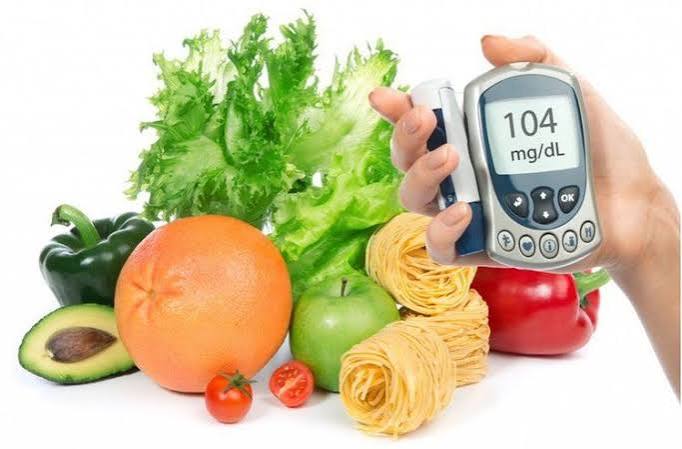
The foundational feature of any diabetes app is glucose logging — capturing blood glucose readings with dates, times, and contextual tags (pre-meal, post-meal, fasting, before exercise). Manual entry of fingerstick readings is available in nearly all apps; the differentiating feature is whether the app integrates automatically with a continuous glucose monitor. Apps that sync with CGM systems — receiving glucose data automatically without manual entry — provide complete glucose records without the time cost and human error associated with manual logging. Dexcom CGMs sync with the Dexcom Clarity app and integrate with Apple Health, Google Health, and several third-party diabetes apps including mySugr and Glooko. Abbott FreeStyle Libre systems sync with the LibreLink app and similarly integrate with Apple Health and select third-party platforms. For adults using a CGM, choosing an app that natively integrates with their specific CGM system — rather than requiring manual entry of readings already captured by the CGM — eliminates redundant data entry and maintains complete records. For fingerstick meter users, apps that support Bluetooth meter pairing — so readings sync automatically when the meter is used near the phone — similarly reduce manual entry burden. The Contour Diabetes App pairs with Contour Next meters; the OneTouch Reveal app pairs with OneTouch meters; FreeStyle LibreLink pairs with FreeStyle meters. Our blood sugar log and tracking guide covers the systematic monitoring approach that structures the data that apps capture — making the app a tool for organizing information that is already being collected rather than an additional monitoring burden.
Meal Logging and Carbohydrate Tracking
Meal logging — recording what was eaten, when, and how much carbohydrate it contained — is one of the most useful features for adults trying to understand the relationship between specific foods and post-meal glucose. Apps with large food databases — MyFitnessPal, Cronometer, and the dedicated diabetes app mySugr — allow barcode scanning to pull nutritional information automatically rather than requiring manual carbohydrate calculation. Pairing meal log entries with post-meal glucose readings (typically 2 hours after eating) creates a food-glucose correlation record that reveals which foods consistently drive high post-meal spikes versus which are well-tolerated. This paired data — over several weeks — is far more useful for personalizing dietary guidance than generic glycemic index tables, because individual glucose response to specific foods varies based on gut microbiome, meal timing, portion size, food combinations, and physical activity context. The limitation of meal logging in most apps is the significant time cost — detailed meal logging at every meal requires 3–5 minutes per meal and is sustainable for many adults during active dietary experimentation but not indefinitely as a daily practice. The most practical approach is structured logging during specific evaluation periods — a new food, a new meal pattern, a change in medication — rather than perpetual comprehensive logging that eventually leads to app abandonment.
Medication and Insulin Dose Tracking
Medication tracking features — reminders for scheduled doses and logs of what was taken and when — address one of the most common contributors to suboptimal diabetes management: missed or inconsistent medication doses. Apps that integrate medication reminders with glucose logging can correlate missed doses with glucose pattern deterioration, making the adherence-outcome connection visible in individual data. For adults on insulin, apps that log each dose — type, units, and timing — alongside glucose readings create the insulin-glucose record that is essential for identifying patterns: whether the morning basal dose is consistently producing mid-morning lows, whether pre-meal bolus timing correlates with better or worse post-meal peaks. Several apps offer insulin calculation features — suggesting a bolus dose based on current glucose, target glucose, carbohydrate intake, and individual correction and carbohydrate ratio settings entered by the user or care team. These calculators are decision support tools that require setup by a diabetes care provider — they should not be configured or used independently without care team guidance, as incorrect ratio settings can produce dangerous overdose recommendations. Our medication list template for diabetes care guide covers the structured medication documentation approach that complements in-app tracking with a care-team-shareable master medication list.
Widely Used Diabetes Apps — A Practical Overview
mySugr — The Most Downloaded Dedicated Diabetes App
mySugr — acquired by Roche in 2017 and integrated with Accu-Chek products — is among the most widely downloaded dedicated diabetes management apps globally. It provides glucose logging, meal logging with carbohydrate tracking, medication tracking, A1c estimation based on logged glucose readings, and CGM integration with Dexcom and FreeStyle Libre systems. The gamification elements — a “monster” character that reacts to glucose entries and challenges that reward consistent logging — improve short-term engagement for some adults. mySugr Pro (subscription) adds additional analysis and report generation features. The mySugr PDF report — a structured glucose and meal summary that can be generated before care visits — is its most clinically useful feature for care team sharing. The app is free at the base level with optional subscription, and is widely available on both iOS and Android. Our continuous glucose monitors guide covers how CGM data flows into apps like mySugr for pattern analysis. The blood sugar log templates guide covering print and digital log formats that complement app-based tracking — for adults who want a care-team-friendly summary independent of an app platform — is in our blood sugar log templates guide. The doctor visit checklist covering how to use app-generated reports at diabetes care visits — sharing the summary with the care team rather than showing individual readings on a phone screen — is in our doctor visit checklist for diabetes guide. The best blood glucose monitors guide covering the hardware side of diabetes monitoring — which meters pair with which apps — is in our best blood glucose monitors guide. The annual care checklist that includes app-based data review as preparation for the comprehensive annual diabetes management assessment is in our annual diabetes care checklist. The building healthy habits guide covering how to use glucose and food data from apps to identify and reinforce the specific behavioral patterns that improve blood sugar outcomes is in our building healthy habits with diabetes guide. The FDA’s digital health policy framework covers the regulatory approach to diabetes apps — including which app features are classified as medical devices and which are general wellness tools. The ADA’s blood glucose testing guidance covers evidence-based blood glucose monitoring goals and the role of digital tools in achieving them. The NIDDK’s diabetes management overview integrates digital self-management tools within the comprehensive evidence-based diabetes care framework.
Privacy and Data Security — What Diabetes Apps Do With Your Health Data
HIPAA Does Not Apply to Most Consumer Diabetes Apps
A critical and underappreciated fact about diabetes apps is that most consumer apps — those available in the App Store or Google Play — are not subject to HIPAA (Health Insurance Portability and Accountability Act), which governs how healthcare providers and insurers handle health information. HIPAA applies to covered entities (hospitals, clinics, insurance companies) and their business associates. A diabetes app company that is not providing healthcare services or billing insurance is generally not a HIPAA-covered entity — meaning it can collect, share, and sell health data including glucose readings, medication logs, and dietary information under its own privacy policy rather than HIPAA rules. Before entering any health data into a diabetes app — particularly glucose readings, medication information, or dietary data — reading the app’s privacy policy for data sharing practices is an important step. Relevant questions: does the app sell or share data with third parties? Can data be used for advertising purposes? Is the data used to train commercial AI models? Some apps have privacy policies that permit broad health data sharing with advertising partners — which most adults with diabetes would find objectionable if they were aware of it. Apps affiliated with major medical device manufacturers (Dexcom Clarity, LibreLink, Accu-Chek Connect) generally have more restrictive data sharing policies than independent app companies, though this is not universal. Apps that allow complete local data storage — without cloud account creation — offer the highest privacy but typically the least connectivity and sharing capability.
Clinical-Grade Apps Versus General Wellness Apps — The Regulatory Distinction
The FDA distinguishes between software that qualifies as a medical device — subject to regulatory oversight including accuracy and safety requirements — and general wellness software that makes no clinical claims and is exempt from device regulation. A diabetes app that provides an insulin bolus calculator based on glucose and carbohydrate input is making clinical recommendations and is subject to FDA oversight as a medical device. An app that simply logs glucose readings as a digital diary does not meet the medical device threshold. Most diabetes apps in popular app stores are general wellness tools — log and tracking software — rather than FDA-cleared medical devices. This distinction matters: a general wellness app’s glucose trending analysis and A1c estimates have no validated accuracy requirement, while an FDA-cleared insulin calculator must meet validated accuracy standards before market availability. Adults using app-generated insulin recommendations should verify whether the app is FDA-cleared or authorized for that specific function — and should not follow insulin dose recommendations from apps that have not been specifically prescribed and configured by a diabetes care provider.
Apps by Diabetes Type — Different Needs
Apps Designed for Type 1 Diabetes
Adults with Type 1 diabetes — managing multiple daily insulin doses, carbohydrate ratios, correction factors, and frequent glucose monitoring — have substantially more complex data management needs than most adults with Type 2 diabetes. Apps designed for Type 1 typically offer more sophisticated insulin tracking features: dose history with insulin type and units, carbohydrate-to-insulin ratio calculators, insulin on board (IOB) tracking that accounts for active insulin remaining from previous doses, and integration with automated insulin delivery systems. Loop, Tidepool, and the Omnipod 5 app are examples of advanced diabetes management platforms designed for the complexity of Type 1 management. Tidepool — a nonprofit platform — aggregates data from multiple CGM systems, insulin pumps, and glucose meters into a unified view for both personal use and care team sharing. For adults using a closed-loop (automated insulin delivery) system — where an algorithm automatically adjusts basal insulin rates based on CGM readings — the companion app is an integral part of the therapy rather than an optional tracking tool. Our continuous glucose monitors guide covers the CGM systems that integrate with automated insulin delivery platforms.
Apps Designed for Type 2 Diabetes
Adults with Type 2 diabetes typically need simpler tracking with stronger emphasis on meal and activity logging — because the primary management levers are dietary and behavioral rather than insulin dosing calculations. Apps well-suited to Type 2 diabetes management emphasize: carbohydrate and meal pattern tracking, medication reminder and adherence tracking, activity logging with glucose correlation, and care team sharing. MySugr, Glucose Buddy, and One Drop are among the most widely used Type 2 focused apps. One Drop — which started as a glucose monitoring service and expanded to a comprehensive diabetes coaching platform — offers AI-driven pattern insights, peer community features, and optional human coaching subscription services. The coaching subscription model has evidence from a randomized trial showing HbA1c reduction — though the coaching component, not the app technology alone, drives the documented outcome. For adults with Type 2 diabetes who primarily use a fingerstick meter rather than a CGM, the most useful app feature is Bluetooth meter pairing that automates glucose entry — making consistent logging sustainable without manual data entry burden. The questions to ask about Type 2 diabetes — including which app or digital tool the care team recommends for the individual’s management approach — are in our questions to ask about Type 2 diabetes guide.
Using App Data to Prepare for Care Team Visits
Generating Reports That Make Appointments More Productive
The most underutilized feature of better diabetes apps is report generation — structured summaries of glucose averages, time in range, meal patterns, and medication adherence that can be printed or shared digitally before or at a diabetes care visit. A 14-day glucose summary report from mySugr, a Dexcom Clarity AGP report, or a LibreLink glucose diary provide the care team with information that transforms an appointment from “how have your numbers been?” (verbal recall, inherently unreliable) to a structured data review that identifies specific pattern issues requiring intervention. Preparing a report before each care visit — rather than showing the care team an app on a phone during the appointment — allows the provider to review the data efficiently and focus discussion time on the most important patterns. This preparation step takes approximately 5 minutes before an appointment and is one of the most practical improvements available to adults with diabetes who feel their care visits are not as productive as they could be. The doctor visit checklist covering how to use app-generated reports within a structured appointment preparation framework is in our doctor visit checklist for diabetes guide. The blood sugar log templates guide — covering standardized log formats that can complement app data or replace it for adults who prefer paper-based tracking — is in our blood sugar log templates guide. The best blood glucose monitors guide covering which hardware meters pair with which apps — so the monitoring equipment and digital tracking platform work as a system — is in our best blood glucose monitors guide. The long-term diabetes care plan guide covering how digital tracking data accumulates into the multi-year picture that guides comprehensive diabetes management decisions is in our long-term diabetes care plan guide. The medication list template for diabetes care covering structured medication documentation that pairs with app-based adherence tracking is in our medication list template for diabetes care guide. The annual care checklist that includes digital data review and app-based report preparation in comprehensive annual diabetes management preparation is in our annual diabetes care checklist. The building healthy habits guide covering how digital tracking data from diabetes apps guides the behavior change process — making the glucose-behavior correlation visible and therefore improvable — is in our building healthy habits with diabetes guide. The FDA’s digital health policy framework covers the regulatory approach to health apps and software as medical devices. The ADA’s blood glucose monitoring guidance addresses digital glucose tracking tools within the evidence-based diabetes monitoring framework. The NIDDK’s diabetes self-management overview integrates digital tools within the comprehensive diabetes self-care approach recommended for adults with Type 1 and Type 2 diabetes.
Limitations of Diabetes Apps — What They Cannot Do
Apps Do Not Replace Clinical Judgment
Diabetes apps are data collection and visualization tools — they do not provide individualized clinical advice, cannot assess symptoms that are not entered, and cannot replace the judgment of a diabetes care provider who knows the full clinical picture. An app that suggests a glucose reading is “in range” does not account for whether that reading is appropriate given the person’s current medications, recent illness, or clinical context — information the app does not have. An app-generated A1c estimate based on glucose log averages is an approximation that may differ meaningfully from a laboratory HbA1c, particularly for adults with conditions that affect red blood cell turnover (hemolytic anemia, sickle cell trait, certain hemoglobin variants) — the same conditions that make laboratory HbA1c itself less reliable. App-generated trend analysis — identifying that post-dinner glucose is consistently high — can prompt a useful care team conversation, but the interpretation and treatment response require clinical expertise. Adults who use diabetes app features as substitutes for care team contact — adjusting insulin doses based on app calculations, treating abnormal patterns with self-directed medication changes, or delaying appointments because the app “looks okay” — are using the technology outside its appropriate role. Apps support self-management and care team preparation; they do not replace clinical partnership.
Adherence Challenges — Why Most People Stop Logging After a Few Weeks
The single most significant limitation of diabetes app logging is adherence over time. Studies of diabetes app usage consistently show high initial engagement followed by substantial drop-off — with most users logging actively for 2–8 weeks before logging frequency declines significantly. The time burden of comprehensive logging — glucose, meals with carbohydrate estimates, activity, medications at every meal and monitoring event — is sustainable for motivated adults during structured improvement periods but difficult to maintain indefinitely alongside normal daily demands. Strategies that improve long-term app engagement include narrowing the scope of logging to the information most relevant to current management goals — logging only glucose and the one behavioral variable currently being evaluated, rather than comprehensive tracking of everything simultaneously; choosing an app where automation (Bluetooth meter pairing, CGM integration) minimizes manual entry; and using app features intermittently for specific evaluation periods rather than as a permanent daily obligation. The goal of diabetes self-management apps is not perfect perpetual logging — it is generating enough data during the periods when detailed tracking is most useful to make informed management decisions and productive care team conversations. The blood sugar log templates guide covering simplified paper-based logging alternatives — for adults who find app-based logging unsustainable but still want a structured recording system — is in our blood sugar log templates guide. The living well with diabetes guide covering the sustainable self-management approach that integrates digital tools as one component of a realistic long-term routine — rather than as an all-or-nothing commitment — is in our living well with diabetes guide.
Choosing the Right App — A Starting Point
The best diabetes app is the one that an individual will actually use consistently — which depends far more on interface comfort, logging burden, and compatibility with existing devices than on features that are impressive in a review but impractical in daily life. The starting approach: identify the monitoring device being used (CGM brand or meter brand), check which apps offer native connectivity with that device, and try two or three that offer automatic data sync before committing to one. Most apps offer free tiers adequate for basic logging. Upgrading to a paid subscription — typically $5–15 per month — is justified only if the additional analysis features provide insight that actually changes management decisions. Consulting the care team for recommendations specific to the diabetes type and medication regimen — particularly for adults on insulin — ensures that any clinical features like insulin calculators are used with appropriate configuration and supervision from the start.
Sources: Hou C et al. The effectiveness of personalized diabetes management using mobile health-based health coaching on glycemic control in type 2 diabetes. Journal of Diabetes Research 2020; Huang Z et al. Effectiveness of lifestyle interventions using mobile technology on diabetes. PLOS ONE 2020; FDA Digital Health Policy Framework 2024; ADA Standards of Care in Diabetes 2024; NIDDK Diabetes Management Overview 2024.
Thank you for covering diabetes apps: features that may help so thoroughly without being overly technical. It is refreshing to see an article that acknowledges individual variation rather than one-size-fits-all advice. Keep up this kind of thorough health journalism — it genuinely helps patients like me.
As someone dealing with this personally, the diabetes apps: features that may help section was very helpful. I appreciate that the article is careful about distinguishing between what is known and what is still being researched. This gave me real confidence going into my next specialist appointment.
This breakdown of diabetes apps: features that may help is exactly what patients need before a specialist appointment. This is the kind of evidence-based writing that actually changes how people approach their health. Will definitely be coming back to this site for more health information.